
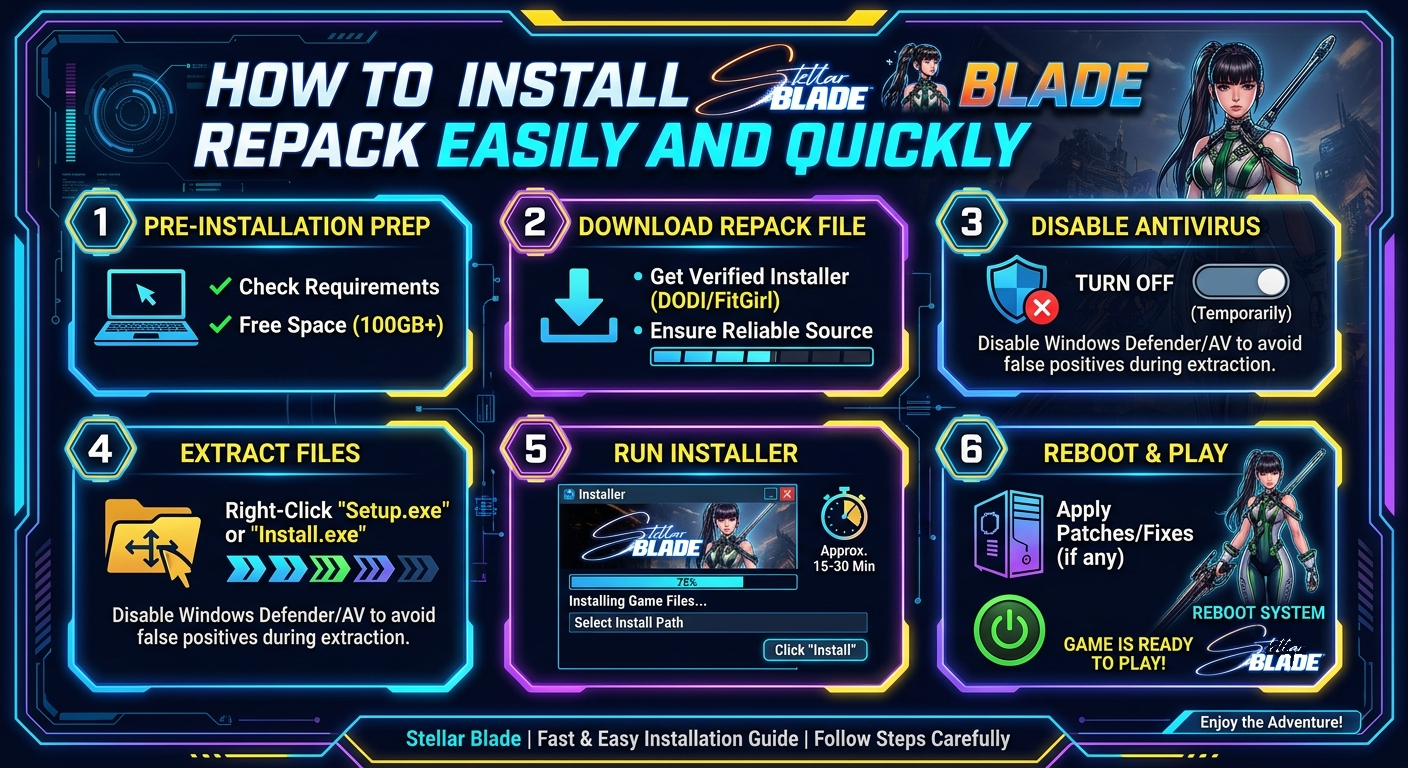
Installing the Stellar Blade repack can seem daunting if you’re unfamiliar with the process, but with a clear, step-by-step approach, it becomes straightforward. This guide walks you through every essential action to ensure a smooth installation, highlighting all necessary settings and options to optimize your gameplay experience. Whether you are a seasoned gamer or new to repacks, these instructions will help you get Stellar Blade running flawlessly.
The repack version referenced here is based on the Stellar.Blade-voices38 ISO release, which includes the latest game version 1.4.1 alongside multiple downloadable content (DLC) packs. These DLCs add valuable enhancements, crossovers, and exclusive content to expand your in-game journey. Following the correct installation sequence guarantees you get the full benefit of all included extras.
Moreover, this repack features high compatibility with previous versions, meaning it can update your existing game files efficiently. You’ll save bandwidth and time by rehashing only updated files, thanks to the carefully crafted repack design. This guide also provides practical tips to avoid common pitfalls and maximize your system’s performance during installation.
Step 1: Running the Installer as Administrator
To begin the Stellar Blade repack installation, it’s crucial to run the installer with administrator privileges. This ensures your system authorizes all necessary file modifications and registry entries without restrictions. Simply right-click on the installer executable and select “Run as administrator” from the context menu.
Running the installer this way prevents errors related to permissions, which often cause installation failures or incomplete setups. It also enhances stability by allowing the installer to smoothly copy game files to protected system folders.
Keep your antivirus temporarily disabled during this phase to avoid false positives or interruptions by security software. You can re-enable it right after the installation has completed to protect your system.
Step 2: Navigating Installation Pages and Settings
After launching the installer, the initial screen will present the Stardard installation interface. Click anywhere on the page to activate the window, enabling keyboard navigation. This simple action often gets overlooked but is necessary for the next steps involving keyboard commands.
Press the Up Arrow on your keyboard to highlight the “Install” button. This method lets you navigate the installer interface quickly without relying solely on mouse clicks, ensuring precise control over your choices.
Once the “Install” option is highlighted, press Enter or click it directly to proceed to the next stage. The installer will then prompt you to confirm continuing with the installation process.
Step 3: Confirming Installation Progress
After clicking “Install,” the setup wizard asks you to confirm by selecting the “Continue” button. This confirmation step safeguards against accidental installations and allows you to review all your choices before proceeding.
At this point, carefully verify your chosen installation folder. You can select a custom destination if needed; otherwise, the default directory works well for most users. To change the installation path, click “Browse” or the equivalent button and select your preferred location on your hard drive or SSD.
Once confirmed, click “Next” to advance to the component selection page. This ensures the installer is ready to copy files to the correct location and prepares your system accordingly.
Step 4: Selecting Components to Install
The repack installer offers a choice of components to install, letting you optimize disk space or customize your setup. You can select which DLCs, language packs, or audio options you want to include in your installation.
Because the Stellar Blade repack features a rich selection of DLC packs such as the Deluxe Pack, NieR:Automata crossover, GODDESS OF VICTORY: NIKKE collaboration, and Tachyon Pack, picking the right combination lets you tailor the game experience. Don’t miss the pre-purchase rewards and code verification components if you want the full content unlocked.
Choose the components carefully by ticking or unticking the checkboxes displayed. After your selection is complete, click the “Install” button to begin copying data.
Step 5: Installation Size, Time, and Progress
The Stellar Blade repack has a download size of 46.5 GB, expanding to around 60.6 GB after full installation. This size reflects the complete, lossless repack, which means no files are removed or re-encoded to save space. You are getting the highest quality version of the game.
The installation duration ranges between 45 and 120 minutes depending on your hardware’s speed. SSD users will experience faster installation times compared to traditional HDD storage. During this phase, the installer decompresses and copies files to the selected destination without compressing or altering the original data.
Monitor the progress bar and avoid interrupting the installation to prevent corruption. If the installer shows any errors, verify your disk space or try running the process again with administrator privileges.
Step 6: Language and Audio Options
The repack supports numerous languages including English, French, German, Spanish, Italian, Arabic, Dutch, Swedish, and others. This multilingual support extends to audio tracks available in English, French, Italian, German, Spanish, Portuguese, Chinese, Japanese, and Korean.
You can change the language and audio settings anytime inside the game’s options menu after installation. This flexibility allows you to customize your gameplay experience to fit your preferred language or region without reinstalling the game.
Choosing your language during setup does not limit future changes, as all necessary files are included in the repack. This comprehensive approach enhances player accessibility globally.
Step 7: Finalizing the Installation and Compatibility Notes
Upon completion, the Stellar Blade repack notifies you with a success message. You can now launch the game from your desktop shortcut or installation folder. The repack is thoroughly tested for compatibility, ensuring it works seamlessly if you are updating from previous repack versions.
Only one file, data3.doi, is changed in this update, optimizing your download by allowing rehashing of existing repack files. This technique helps save approximately 45.8 GB of data traffic, which is great for users with limited bandwidth or data caps.
Remember to verify the integrity of your game files periodically, especially if you encounter crashes or missing content. The repack by DODI is well-regarded for its completeness and stability, so following the installation steps ensures a reliable gaming experience.
FAQs About Stellar Blade Repack
Is the Stellar Blade repack safe to install?
Yes, the repack is created carefully to avoid removing or re-encoding files, making it a lossless and safe installation method. Running the installer with administrative privileges further ensures a stable, error-free process.
Can I change the game language after installation?
Absolutely. The repack includes multiple language files, and you can switch languages and audio settings within the game options anytime without needing to reinstall.
What are the included DLC packs in this repack?
The repack includes several DLCs such as the Deluxe Pack, NieR:Automata crossover, GODDESS OF VICTORY: NIKKE content, Pre-purchase Rewards, Tachyon Pack, and more, enriching your in-game experience.
How long does the installation take?
Installation typically takes between 45 and 120 minutes, depending on your system’s storage speed and hardware configuration.
Can I update from a previous Stellar Blade repack?
Yes, this repack version is fully backwards compatible. You only need to update the changed file data3.doi, which reduces the download size significantly.
Conclusion
Installing the Stellar Blade repack is a straightforward process when following the correct steps. By running the installer as an administrator, navigating installation options carefully, and selecting preferred components and language packs, you ensure a smooth setup. The repack’s comprehensive inclusion of DLCs and multiple audio languages adds great value to the gameplay experience.
With a clear understanding of installation progression, time requirements, and compatibility notes, players can optimize their system resources while enjoying the latest game version 1.4.1 without issues. The backward compatibility features also help reduce redundant downloads and save bandwidth.
This detailed guide empowers you to install Stellar Blade efficiently and get straight into the action-packed adventure with all its upgrades and extras fully available. Enjoy your journey in the Stellar Blade universe!